From Google Drive to Interactive Portfolio
Information architecture, AI-enabled development & experience design
01 · Challenge
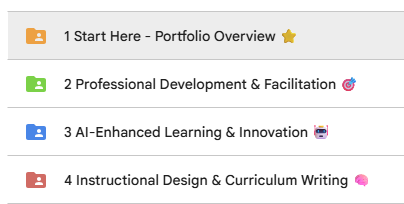
A traditional Google Drive portfolio stored the work, but it did not clearly communicate the thinking, range, or professional story behind it.
02 · Needs / Context
Recruiters and collaborators needed a faster way to understand my capabilities, choose a relevant path, and open supporting work without navigating a folder structure.
03 · My Role
I led the content strategy, information architecture, visual direction, AI-assisted development, testing, refinement, and launch.
04 · Analysis / Approach
I audited existing materials, grouped them around audience needs, designed guided entry paths, and iteratively refined the desktop and mobile experience based on usability issues.
05 · Solution
A branded interactive portfolio with audience-specific paths, featured work, expandable experience, an AI assistant, sharing tools, and responsive layouts.
06 · Implementation
I moved the portfolio from Drive into a custom-domain website, connected artifacts, added analytics, and repeatedly revised the information hierarchy and interaction cues.
07 · Results / Impact
The work is now consolidated into one public, guided experience. Quantitative engagement evidence is being collected through Google Analytics and is not yet reported here.
08 · Tools
ChatGPT Sites · Google Drive · Canva · Google Analytics (GA4) · Custom domain and DNS
09 · What I Learned / Next Iteration
A portfolio is strongest when it reveals decisions, not only outputs. Next: deepen case-study evidence and use engagement data to refine navigation and content priority.